Installing a POE security camera system is a great DIY project for homeowners—easy, cost-effective, and rewarding (as we covered in Blog 4, 5, and 8). But even if you follow a step-by-step guide, it’s easy to make small mistakes that can ruin your setup: blurry footage, cameras not powering on, or even damage to your POE equipment (like MWRCTV POE cameras and NVRs).Most POE installation mistakes are avoidable—you just need to know what to look out for. This guide will break down the most common POE installation mistakes beginners make, explain why they happen, and show you how to fix (and avoid) them. We’ll also share MWRCTV-specific tips to ensure your POE system works perfectly from day one, whether you’re using our 4MP/8MP POE cameras or POE NVRs.
Why These Mistakes Matter
You might think a small mistake (like a loose cable or a poorly placed camera) isn’t a big deal—but it can cause big problems:
Cameras not powering on (wasting time troubleshooting)
Blurry or choppy footage (rendering your security system useless)
Damage to your POE equipment (costing you money to replace)
Unreliable performance (missing important motion events)
The good news? All these mistakes are easy to avoid with a little planning and attention to detail. Let’s dive into the most common ones
7 Common POE Installation Mistakes (And How to Avoid Them)
Mistake 1: Using the Wrong Ethernet Cable
This is the #1 mistake beginners make. POE cameras require Cat5e or Cat6 Ethernet cables—using a lower-quality cable (like Cat5) or a damaged cable will cause power loss, signal interference, and blurry footage.
Why it happens: Many beginners reuse old, low-quality cables they have lying around, not realizing that POE power and data transmission require a reliable cable.
How to avoid it: Use only Cat5e or Cat6 Ethernet cables (preferably MWRCTV POE cables, which are designed for POE systems). Avoid damaged cables (look for frayed ends, cuts, or bent connectors) and don’t stretch or crush the cables during installation (as we covered in How to Run POE Cables Through Walls (Step-by-Step for Beginners)).
Mistake 2: Loose Cable Connections
A loose Ethernet cable (either at the camera or the NVR) is one of the most common reasons POE cameras don’t power on or have no footage. Even a slightly loose connection can interrupt power and data transmission. Why it happens: Beginners often plug cables in “just enough” without pressing them firmly into the port—they don’t realize POE connections need a secure fit. How to avoid it: When connecting the Ethernet cable to your MWRCTV POE camera or NVR, press the connector firmly until you hear a “click.” After plugging in, gently tug the cable to make sure it doesn’t come loose.
Mistake 3: Choosing the Wrong Camera Placement
Even the best POE camera (like MWRCTV 8MP models) won’t work well if it’s placed in the wrong spot. Common placement mistakes include: pointing the camera at a window (causing glare/reflectivity), placing it too high/low (missing important details), or placing it in a spot with poor Wi-Fi (for remote access).
Why it happens: Beginners often place cameras based on “what looks good” instead of “what works for security.”
How to avoid it: Follow these placement tips:
Avoid pointing cameras at windows (especially at night—glare from indoor lights will obscure footage).
Place cameras 2.5-3 meters high (high enough to avoid tampering, low enough to capture clear faces).
Ensure the camera is within range of your NVR (POE cables can run up to 100 meters—don’t exceed this).
If you’re installing POE cameras outdoors , ignoring waterproofing can lead to water damage—ruining your camera or NVR. Even if your camera is IP66 waterproof (like MWRCTV POE cameras), poor waterproofing of the cable connections can cause issues.
Why it happens: Beginners think “waterproof camera” means “no need to worry about water”—but the cable connections are still vulnerable.
How to avoid it: Use waterproof cable glands (included in most MWRCTV POE kits) to seal the Ethernet cable where it connects to the camera. For outdoor walls, seal the cable entry hole with caulk (as we covered in How to Run POE Cables Through Walls (Step-by-Step for Beginners)) to keep out rain and moisture. Avoid running cables in low-lying areas where water pools.
Mistake 5: Overloading the POE NVR’s Power Supply
POE NVRs have a maximum power output (in watts) for their POE ports. Connecting too many high-power POE cameras to the NVR can overload the power supply, causing cameras to power off or the NVR to malfunction.
Why it happens: Beginners don’t check the NVR’s power capacity and connect more cameras than it can handle.
How to avoid it: Check your MWRCTV POE NVR’s power specifications (listed in the manual). Most MWRCTV 4-port NVRs can power 4 standard POE cameras (4-15W each), while 8-port NVRs can power 8 cameras. If you need more cameras, use a POE switch to expand (as we covered in How to Choose the Right NVR for Your POE Camera System).
Mistake 6: Forgetting to Test the System After Installation
Many beginners finish installing their POE system, clean up their tools, and forget to test it—only to realize later that cameras aren’t working or footage is blurry.
Why it happens: They’re eager to finish the project and assume everything works.
How to avoid it: After installation, test every camera: check live footage on the NVR monitor and via the APP (remote access, as we covered in How to Connect MWRCTV POE Camera System to Phone (Remote Access Guide)), test motion detection, and verify night vision. If something is wrong, fix it immediately—don’t wait until you need the footage.
Mistake 7: Not Securing Cables Properly
Loose, dangling cables are not only unsightly—they can be damaged by pets, weather, or accidental tugging. This can cause signal loss or camera failure.
Why it happens: Beginners rush through the final step of securing cables.
How to avoid it: Use cable clips to secure cables to walls, ceilings, or trim. For outdoor cables, use weather-resistant cable clips. Avoid running cables where they can be stepped on or chewed by pets.
MWRCTV-Specific Tips to Avoid Installation Mistakes
Our MWRCTV POE cameras and NVRs are designed to make installation easy—but these extra tips will ensure your setup is perfect:
Use MWRCTV-branded Ethernet cables: They’re tested for POE compatibility and durability, reducing the risk of signal loss.
Check the MWRCTV installation manual: It includes step-by-step photos and troubleshooting tips specific to your POE kit.
Use the MWRCTV APP to test remote access: After installation, open the app and verify you can view footage from your phone.
Contact MWRCTV support if you’re stuck: Our 24/7 support team can help you troubleshoot any installation issues—no need to guess.
Troubleshooting: Fix Common POE Installation Mistakes
If you’ve already made a mistake, don’t panic—here’s how to fix it:
Camera not powering on: Check cable connections (press firmly until it clicks) and replace the Ethernet cable with a Cat5e/Cat6 cable.
Blurry footage: Adjust the camera angle (avoid glare), clean the camera lens, or check if you’re using a low-quality cable.
Remote access not working: Ensure the NVR is connected to router (check NVR network settings) and the MWRCTV APP is updated.
Water damage: Turn off the system, dry the camera/NVR, and use waterproof glands to seal connections—replace damaged equipment if needed.
Final Thoughts
Installing a POE security camera system is easy—if you avoid these common mistakes. By using the right cables, securing connections, choosing the right placement, and testing your system, you’ll have a reliable POE setup that keeps your home safe.
MWRCTV POE cameras and NVRs are designed to be beginner-friendly, but a little attention to detail goes a long way. With these tips, you’ll avoid frustration, save time, and ensure your POE system works perfectly for years to come.Ready to install your MWRCTV POE system without mistakes? Browse our selection of POE kits today, or contact our customer support team if you have any questions about installation.

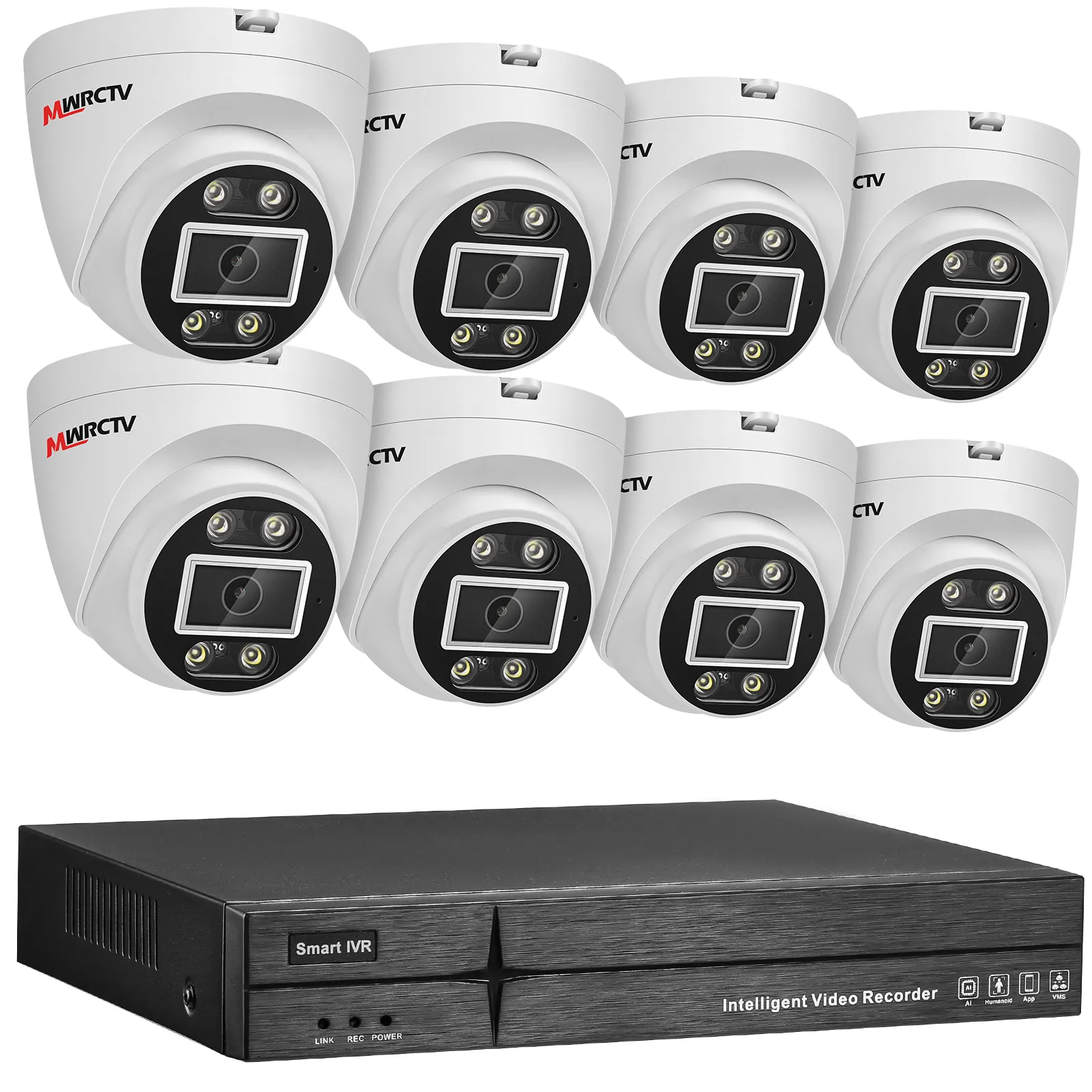
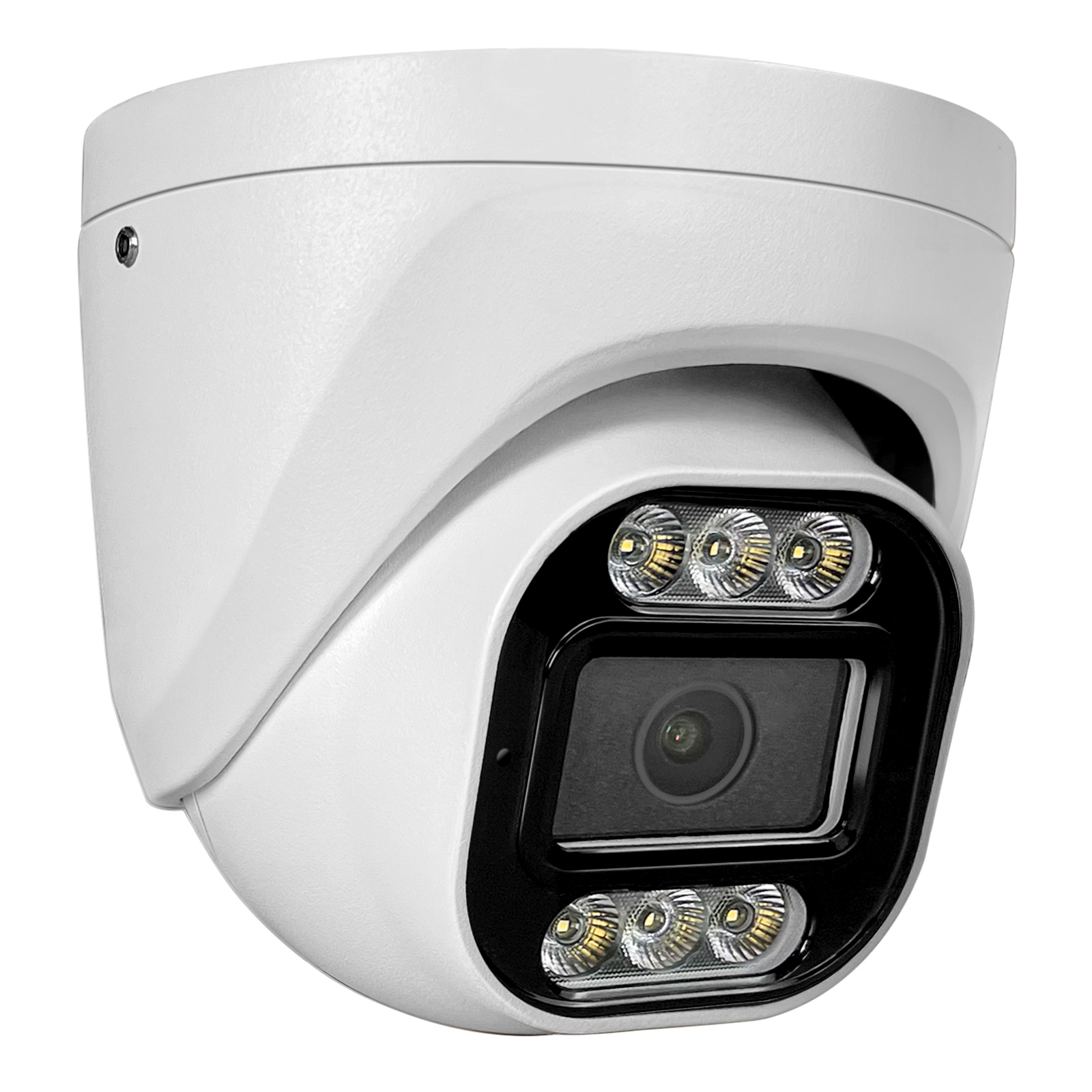
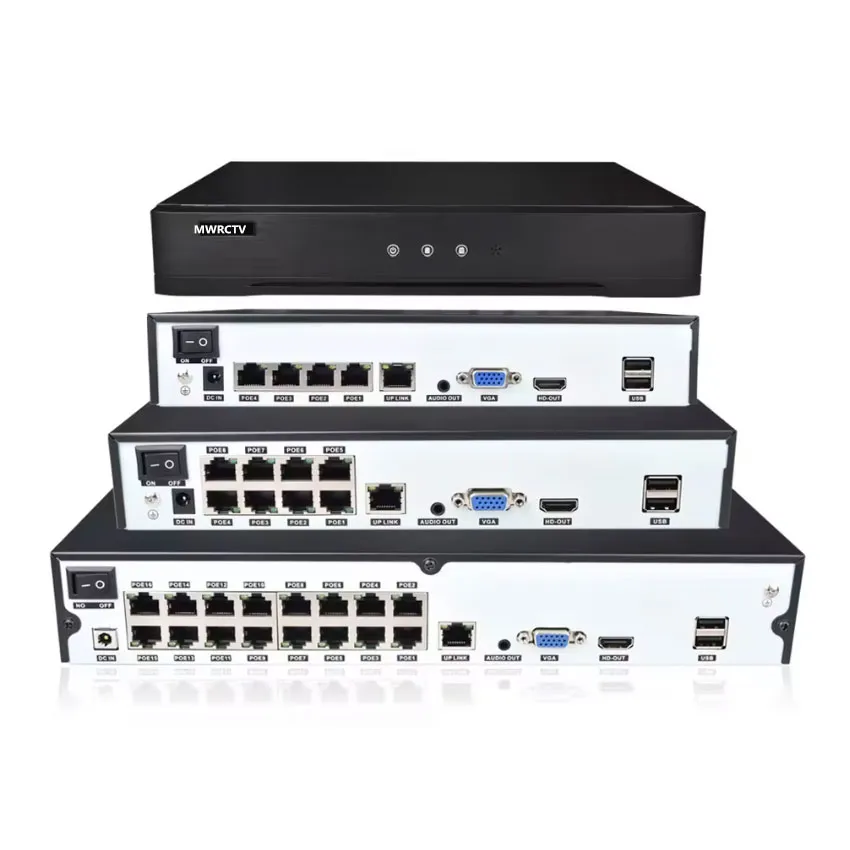



Common POE Installation Mistakes to Avoid (For Beginners)
Installing a POE security camera system is a great DIY project for homeowners—easy, cost-effective, and rewarding (as we covered in Blog 4, 5, and 8). But even if you follow a step-by-step guide, it’s easy to make small mistakes that can ruin your setup: blurry footage, cameras not powering on, or even damage to your POE equipment (like MWRCTV POE cameras and NVRs).Most POE installation mistakes are avoidable—you just need to know what to look out for. This guide will break down the most common POE installation mistakes beginners make, explain why they happen, and show you how to fix (and avoid) them. We’ll also share MWRCTV-specific tips to ensure your POE system works perfectly from day one, whether you’re using our 4MP/8MP POE cameras or POE NVRs.
Why These Mistakes Matter
You might think a small mistake (like a loose cable or a poorly placed camera) isn’t a big deal—but it can cause big problems:
The good news? All these mistakes are easy to avoid with a little planning and attention to detail. Let’s dive into the most common ones
7 Common POE Installation Mistakes (And How to Avoid Them)
Mistake 1: Using the Wrong Ethernet Cable
This is the #1 mistake beginners make. POE cameras require Cat5e or Cat6 Ethernet cables—using a lower-quality cable (like Cat5) or a damaged cable will cause power loss, signal interference, and blurry footage.
Why it happens: Many beginners reuse old, low-quality cables they have lying around, not realizing that POE power and data transmission require a reliable cable.
How to avoid it: Use only Cat5e or Cat6 Ethernet cables (preferably MWRCTV POE cables, which are designed for POE systems). Avoid damaged cables (look for frayed ends, cuts, or bent connectors) and don’t stretch or crush the cables during installation (as we covered in How to Run POE Cables Through Walls (Step-by-Step for Beginners)).
Mistake 2: Loose Cable Connections
A loose Ethernet cable (either at the camera or the NVR) is one of the most common reasons POE cameras don’t power on or have no footage. Even a slightly loose connection can interrupt power and data transmission.
Why it happens: Beginners often plug cables in “just enough” without pressing them firmly into the port—they don’t realize POE connections need a secure fit.
How to avoid it: When connecting the Ethernet cable to your MWRCTV POE camera or NVR, press the connector firmly until you hear a “click.” After plugging in, gently tug the cable to make sure it doesn’t come loose.
Mistake 3: Choosing the Wrong Camera Placement
Even the best POE camera (like MWRCTV 8MP models) won’t work well if it’s placed in the wrong spot. Common placement mistakes include: pointing the camera at a window (causing glare/reflectivity), placing it too high/low (missing important details), or placing it in a spot with poor Wi-Fi (for remote access).
Why it happens: Beginners often place cameras based on “what looks good” instead of “what works for security.”
How to avoid it: Follow these placement tips:
Mistake 4: Ignoring Waterproofing (Outdoor Installation)
If you’re installing POE cameras outdoors , ignoring waterproofing can lead to water damage—ruining your camera or NVR. Even if your camera is IP66 waterproof (like MWRCTV POE cameras), poor waterproofing of the cable connections can cause issues.
Why it happens: Beginners think “waterproof camera” means “no need to worry about water”—but the cable connections are still vulnerable.
How to avoid it: Use waterproof cable glands (included in most MWRCTV POE kits) to seal the Ethernet cable where it connects to the camera. For outdoor walls, seal the cable entry hole with caulk (as we covered in How to Run POE Cables Through Walls (Step-by-Step for Beginners)) to keep out rain and moisture. Avoid running cables in low-lying areas where water pools.
Mistake 5: Overloading the POE NVR’s Power Supply
POE NVRs have a maximum power output (in watts) for their POE ports. Connecting too many high-power POE cameras to the NVR can overload the power supply, causing cameras to power off or the NVR to malfunction.
Why it happens: Beginners don’t check the NVR’s power capacity and connect more cameras than it can handle.
How to avoid it: Check your MWRCTV POE NVR’s power specifications (listed in the manual). Most MWRCTV 4-port NVRs can power 4 standard POE cameras (4-15W each), while 8-port NVRs can power 8 cameras. If you need more cameras, use a POE switch to expand (as we covered in How to Choose the Right NVR for Your POE Camera System ).
Mistake 6: Forgetting to Test the System After Installation
Many beginners finish installing their POE system, clean up their tools, and forget to test it—only to realize later that cameras aren’t working or footage is blurry.
Why it happens: They’re eager to finish the project and assume everything works.
How to avoid it: After installation, test every camera: check live footage on the NVR monitor and via the APP (remote access, as we covered in How to Connect MWRCTV POE Camera System to Phone (Remote Access Guide)), test motion detection, and verify night vision. If something is wrong, fix it immediately—don’t wait until you need the footage.
Mistake 7: Not Securing Cables Properly
Loose, dangling cables are not only unsightly—they can be damaged by pets, weather, or accidental tugging. This can cause signal loss or camera failure.
Why it happens: Beginners rush through the final step of securing cables.
How to avoid it: Use cable clips to secure cables to walls, ceilings, or trim. For outdoor cables, use weather-resistant cable clips. Avoid running cables where they can be stepped on or chewed by pets.
MWRCTV-Specific Tips to Avoid Installation Mistakes
Our MWRCTV POE cameras and NVRs are designed to make installation easy—but these extra tips will ensure your setup is perfect:
Troubleshooting: Fix Common POE Installation Mistakes
If you’ve already made a mistake, don’t panic—here’s how to fix it:
Final Thoughts
Installing a POE security camera system is easy—if you avoid these common mistakes. By using the right cables, securing connections, choosing the right placement, and testing your system, you’ll have a reliable POE setup that keeps your home safe.
MWRCTV POE cameras and NVRs are designed to be beginner-friendly, but a little attention to detail goes a long way. With these tips, you’ll avoid frustration, save time, and ensure your POE system works perfectly for years to come.Ready to install your MWRCTV POE system without mistakes? Browse our selection of POE kits today, or contact our customer support team if you have any questions about installation.